# How to install Telescopius on my desktop?
**URL:** https://forum.telescopius.com/t/how-to-install-telescopius-on-my-desktop/90
**Category:** Tips
**Created:** [February 15, 2021, 2:56pm UTC](https://forum.telescopius.com/t/how-to-install-telescopius-on-my-desktop/90 "2021-02-15T14:56:29Z")
**Posts on this page:** 3
**Page:** 1
### Author:  [@sebagr](https://forum.telescopius.com/u/sebagr)
#### Post date: [February 15, 2021, 2:56pm UTC](https://forum.telescopius.com/t/how-to-install-telescopius-on-my-desktop/90/1 "2021-02-15T14:56:29Z")
Telescopius is a Progressive Web Application, meaning that it can be added to your desktop/applications menu to be used as a standalone application. In other words, you get an icon like other applications on your system, so when you open Telescopius you don’t get all the browser frame around it.
The process to install Telescopius as an app varies by browser, but it’s usually very simple.
For all webkit-based browsers ( **Google Chrome, Apple Safari, and Microsoft Edge** ) you’ll find either a (+) sign at the right of the address bar, or an icon that looks like a computer and an arrow to download, like this:
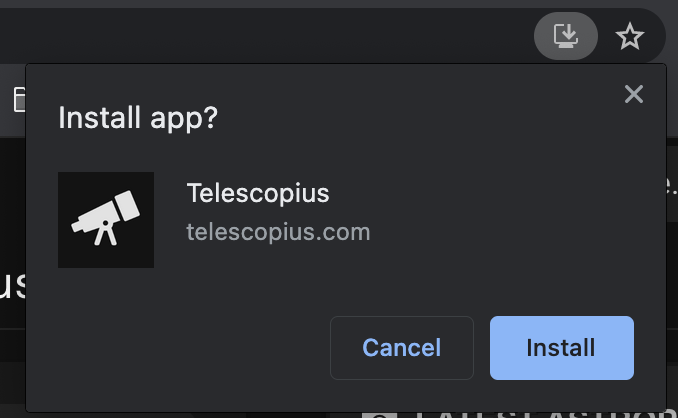
Just hit “Install” and you’re done!
Alternatively, if you don’t get that icon you can also hit the “three-dots” menu at the far right and look for the Install option:
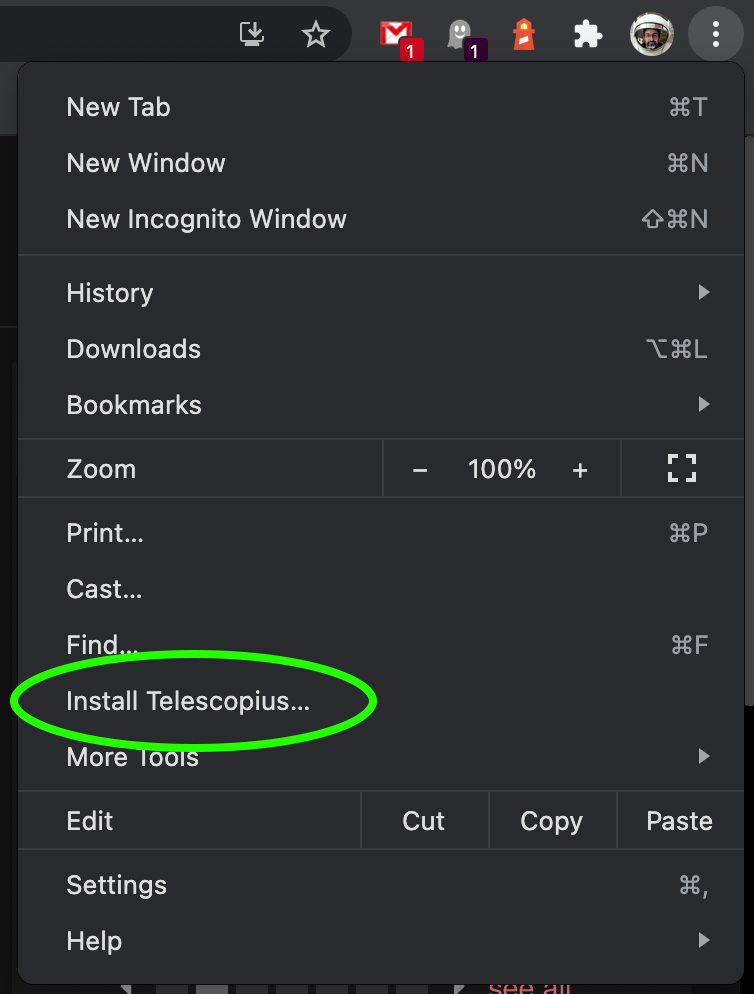
**On Chrome on Android** , the three-dots button at the right side of the address bar gives you the option to “Install Telescopius” - pretty much like Chrome on your laptop.
**On Apple iOS** you can install the app by hitting the **Share** button, and then select the “Add to Home Screen” option.
**Firefox** recently removed the possibility to install the application on the desktop, although if you have an old version you might still find the option.
---
### Author:  [@Cliff](https://forum.telescopius.com/u/Cliff)
#### Post date: [February 15, 2021, 10:28pm UTC](https://forum.telescopius.com/t/how-to-install-telescopius-on-my-desktop/90/2 "2021-02-15T22:28:03Z")
Didn’t know i could do that works perfectly on the Brave browser on the Mac. Does it still get updated the same ?
---
### Author:  [@sebagr](https://forum.telescopius.com/u/sebagr)
#### Post date: [February 15, 2021, 10:51pm UTC](https://forum.telescopius.com/t/how-to-install-telescopius-on-my-desktop/90/3 "2021-02-15T22:51:05Z")
Yes, it behaves exactly the same as in your browser. This is just a shortcut to access the site from your desktop/homepage and without the browser frame, but it’s still the same website 🙂